Finexus UCAT & AI Refrigerator
Seamless Pre-Authorization: The Power of Finexus UCAT & AI Refrigerator Integration
As retail automation advances, modern solutions prioritize efficiency, security, and user convenience across all self-service environments.
By integrating Finexus UCAT with an AI-powered Smart Refrigerator, the system enables a seamless and secure cashless purchasing experience. UCAT performs a pre-authorisation based on a pre-set amount before granting access to the refrigerator.
Once the customer selects an item, the AI automatically determines its price and completes the payment. The remaining balance from the pre-authorised amount is instantly refunded to the customer's account.
This integration ensures smooth transactions, accurate billing, and a fully automated retail experience.
- Card Payment
- QR Payment
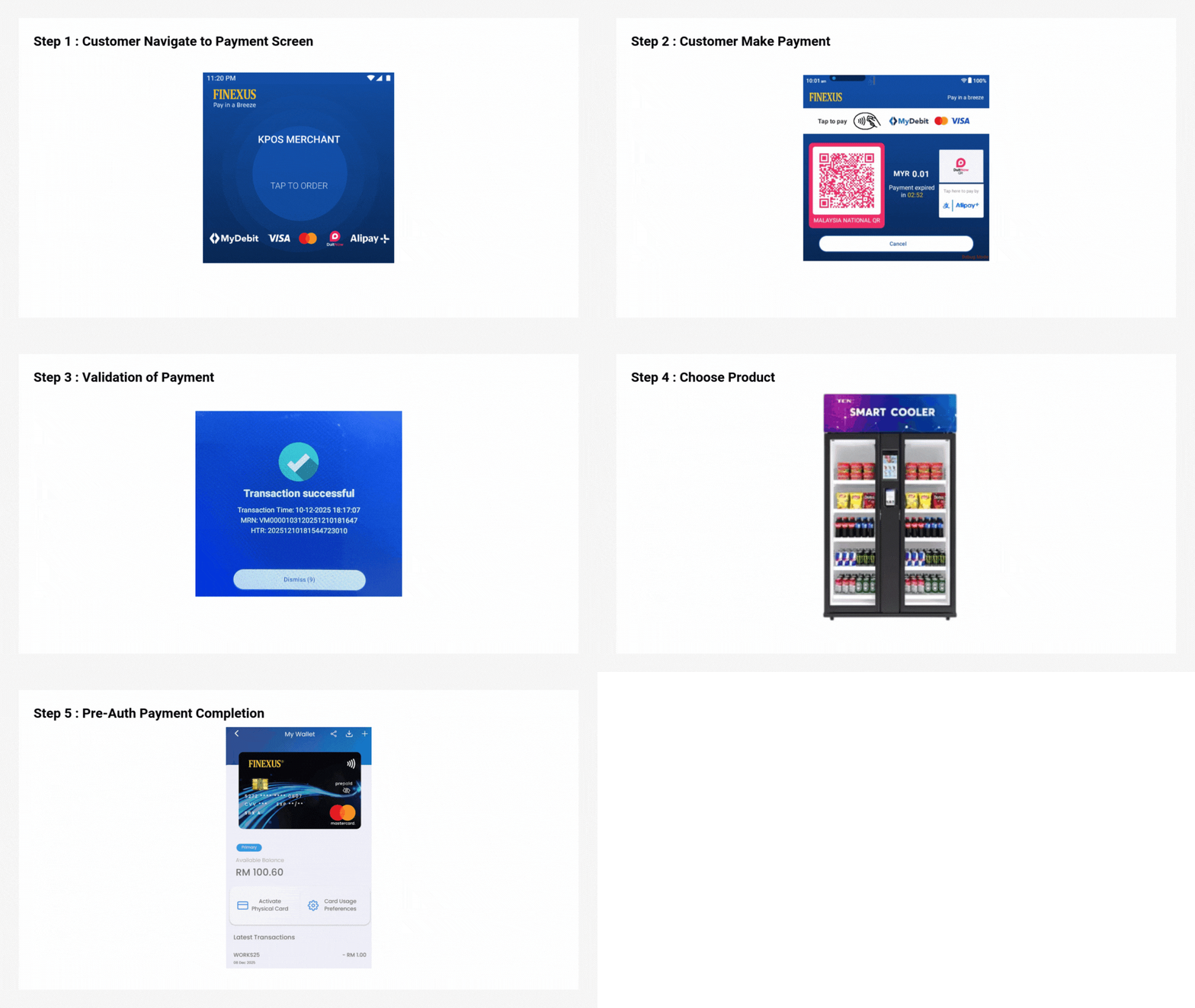
Expand for Detailed Pre-Authorization Card Payment Process
Step 1 : Customer Navigate to Payment Screen
Customer taps screen to navigate to payment screen.
Step 2 : Customer Make Payment
The payment terminal device will display the pre-authorization payment amount set and customer can make payment on the payment terminal device by:
- Tap card at the top of screen.
Step 3 : Validation of Payment
Once the transaction is successful, a transaction status will be displayed on the payment terminal device.
Step 4 : Customer Choose Product
After transaction is successful, the refrigerator doors will be unlocked. Customer chooses product and closes the doors to complete the payment.
Step 5 : Pre-Auth Payment Completion
The pre-auth payment is completed, the pre-auth amount will be deducted from the customer's account.
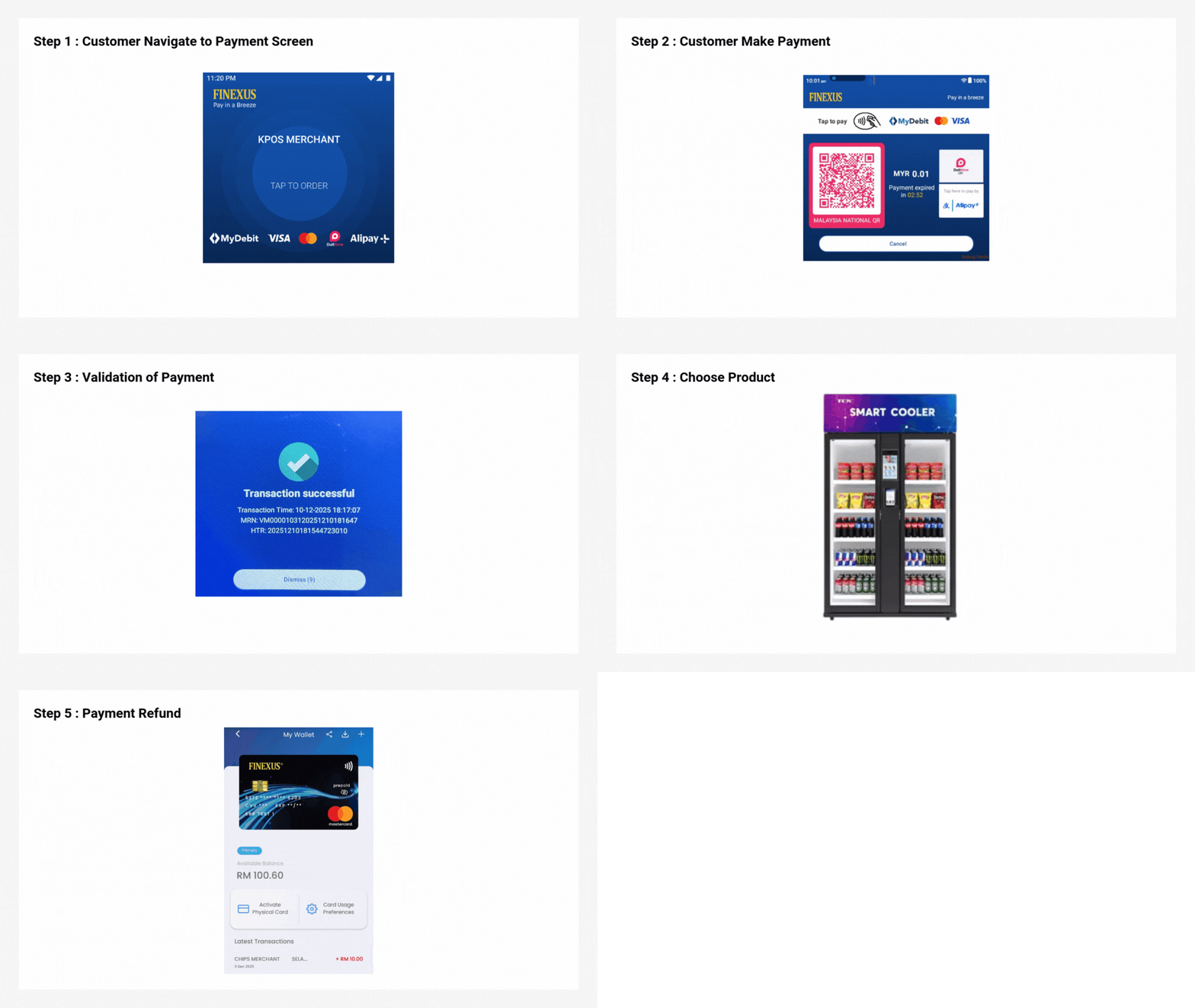
Expand for Detailed Pre-Authorization QR Payment Process
Step 1 : Customer Navigate to Payment Screen
Customer taps screen to navigate to payment screen.
Step 2 : Customer Make Payment
The payment terminal device will display the pre-authorization payment amount set and a QR code, customer scans the QR code and proceeds with payment.
Step 3 : Validation of Payment
Once the transaction is successful, a transaction status will be displayed on the payment terminal device.
Step 4 : Customer Choose Product
After transaction is successful, the refrigerator doors will be unlocked. Customer chooses product and closes the doors to complete the payment.
Step 5 : Payment Refund
The payment is completed, the due amount will be refunded to the customer's account.
Finexus UCAT & AI Refrigerator
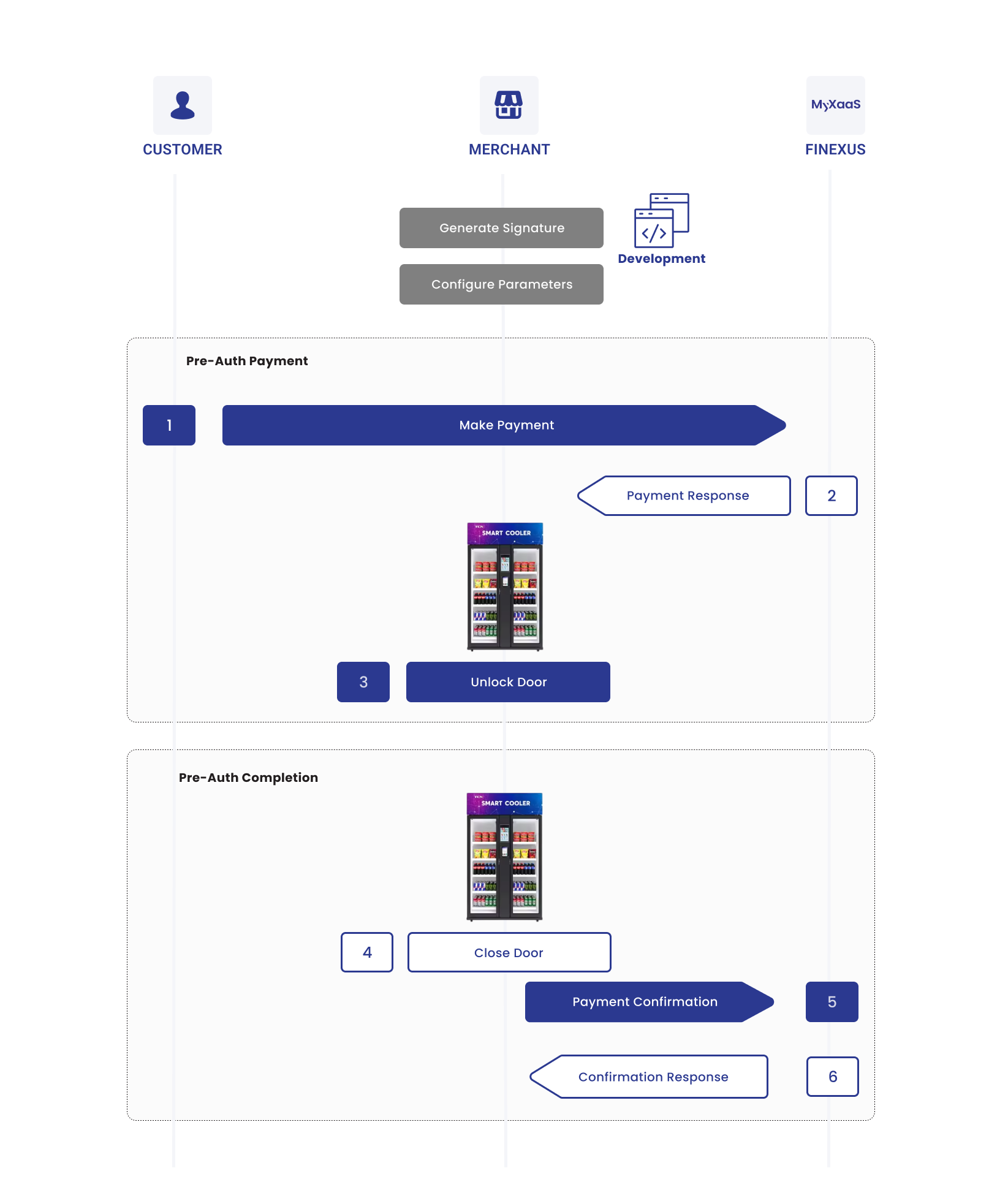
Process Flow Diagram
The diagram below provides a more detailed visual of the UCAT & AI Refrigerator process, mapping out each step:
Process Flow Table
The table below breaks down the Finexus UCAT & ANPR parking system process into detailed steps, showing the specific interactions between the Customer, Merchant and MyXaaS:
| Step | Sender | Receiver | Process |
|---|---|---|---|
| 1 | Customer | MyXaaS | Customer makes payment. |
| 2 | MyXaaS | Merchant | MyXaaS send pre-auth payment response to Merchant. |
| 3 | Merchant | After receiving payment response, merchant unlocks the refrigerator door. | |
| 4 | Customer | After taking any item, customer closes the refrigerator door. | |
| 5 | Merchant | MyXaaS | Merchant performs pre-auth payment completion. |
| 6 | Merchant | MyXaaS | MyXaas sends pre-auth payment completion response to merchant. |